
Welcome to the National High School Institute (NHSI) Back Office Visualization Project at Northwestern University, home of the Cherubs. This platform is designed to streamline data management and provide powerful insights into student attendee information—all while maintaining the highest standards of privacy and security.
What This Site Does
Our system enables the NHSI team to:
- Securely Import Student Data
Upload Excel files containing attendee information with confidence. Sensitive details are automatically redacted to protect student privacy. - Analyze and Visualize Trends
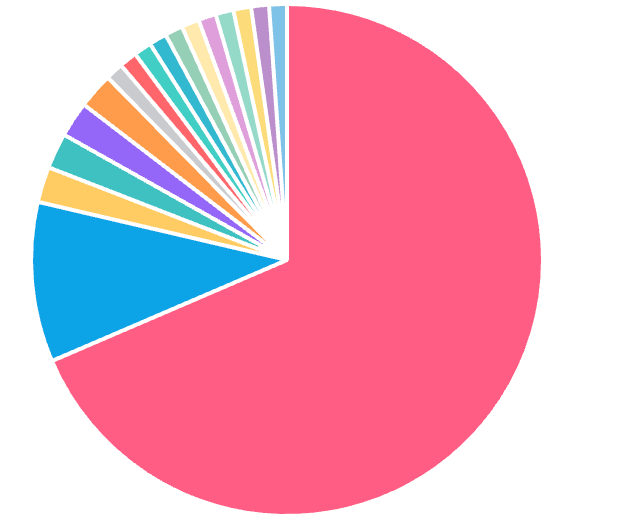
Generate interactive geographic and demographic reports to better understand student distribution, diversity, and program reach. - Ensure Privacy Compliance
Built-in safeguards remove or obscure high-risk data fields such as last names, full addresses, and phone numbers. - Filter and Focus
Exclude unnecessary or sensitive columns (e.g., SSN, financial aid, medical info) during import for clean, compliant datasets. - Protect Uploaded Files
All files are securely processed and deleted after import—no lingering data risks.
How to Use This Site
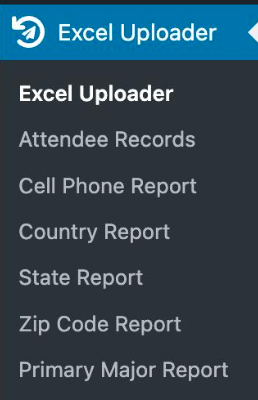
Login with an account that has administrative privileges. The navigation menu (shown below) is your starting point for managing and analyzing NHSI data:
Step 1: Upload Your Data
- Click Excel Uploader in the menu.
- Upload your Excel file (.xlsx or .xls format).
- The system will automatically redact sensitive information.
Step 2: Review Attendee Records
- Select Attendee Records to view imported data with privacy protections applied.
Step 3: Generate Reports
Use the submenu to create targeted reports:
- Cell Phone Report – Analyze students by area code.
- Country Report – View international student distribution.
- State Report – Explore domestic student representation by state.
- Zip Code Report – Drill down into regional patterns.
- Primary Major Report – Understand academic interests and enrollment trends.
Supported Data Format
Your Excel file should include key columns such as:
- Division (Academic division)
- Concentration (Area of study)
- Year Attended
- Preferred First Name
- Email (username redacted)
- Hometown, State, Country
- Primary School & Major Enrollment
Sensitive fields like last names, full addresses, and phone numbers are automatically redacted. High-risk columns (SSN, financial, medical) are ignored entirely.

Why It Matters
The NHSI Back Office Visualization Project empowers staff to make data-driven decisions while respecting student confidentiality. From mapping hometowns to analyzing enrollment trends, this tool helps us celebrate the diversity and reach of the Cherubs program.